remove.bg
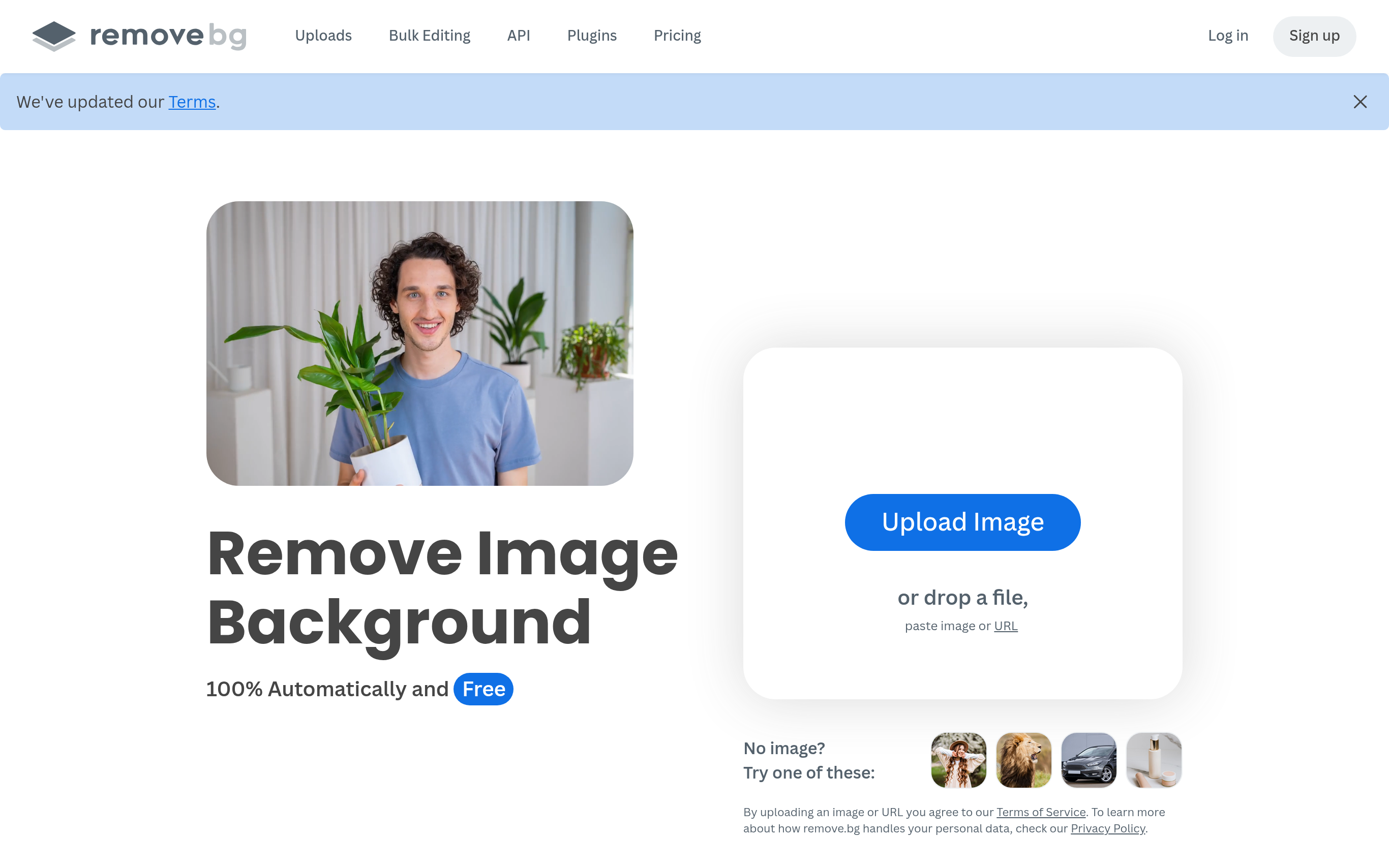

remove.bg is a high-quality background remover designed to effortlessly cut out subjects from images with precision. Its advanced AI technology enables users to create custom backgrounds in seconds, making it ideal for e-commerce, professional headshots, and graphic design projects. The tool allows for editing to white backgrounds or transparent PNGs to suit various needs. With bulk editing capabilities, users can process up to 500 images per minute, significantly saving time and enhancing productivity. Integrations with popular design tools like Figma and Photoshop embed background removal directly into existing workflows, providing seamless functionality across platforms.
Basic Capabilities :
AI Background Removal, Custom Background Generation, Bulk Processing, Integrations with Design Tools, Transparent PNG Support
Basic Capabilities :
AI Background Removal, Custom Background Generation, Bulk Processing, Integrations with Design Tools, Transparent PNG Support
GOOD FOR
PERSONAL: Ideal for casual users, photographers, and content creators who need a quick and reliable solution for background removal without the need for advanced design skills.
BUSINESS: Serves marketing teams, e-commerce businesses, and graphic designers who require efficient workflows and bulk editing capabilities, enhancing productivity and professional output.
BUSINESS: Serves marketing teams, e-commerce businesses, and graphic designers who require efficient workflows and bulk editing capabilities, enhancing productivity and professional output.
FEATURES
AI BACKGROUND REMOVAL: Quickly isolate subjects from images with precise background removal generated by advanced AI technology.
CUSTOM BACKGROUND GENERATION: Instantly create unique backgrounds tailored to your projects without the need for complex prompts.
BULK PROCESSING: Edit up to 500 images per minute, allowing for high-volume projects to be completed efficiently.
DESKTOP AND MOBILE APPS: Access background removal features on both desktop and mobile devices, ensuring convenience on the go.
PROFESSIONAL IMAGE OUTPUT: Deliver flawless results suitable for e-commerce, presentations, and other professional uses by using optimized backgrounds.
INTEGRATIONS WITH DESIGN TOOLS: Seamlessly connect with Figma, Photoshop, and Zapier for easy incorporation into existing design workflows.
TRANSPARENT PNG SUPPORT: Create images with transparent backgrounds for designs like logos and graphics with ease.
USER-FRIENDLY INTERFACE: An intuitive platform that caters to both beginners and experienced designers, enhancing user efficiency.
CUSTOM BACKGROUND GENERATION: Instantly create unique backgrounds tailored to your projects without the need for complex prompts.
BULK PROCESSING: Edit up to 500 images per minute, allowing for high-volume projects to be completed efficiently.
DESKTOP AND MOBILE APPS: Access background removal features on both desktop and mobile devices, ensuring convenience on the go.
PROFESSIONAL IMAGE OUTPUT: Deliver flawless results suitable for e-commerce, presentations, and other professional uses by using optimized backgrounds.
INTEGRATIONS WITH DESIGN TOOLS: Seamlessly connect with Figma, Photoshop, and Zapier for easy incorporation into existing design workflows.
TRANSPARENT PNG SUPPORT: Create images with transparent backgrounds for designs like logos and graphics with ease.
USER-FRIENDLY INTERFACE: An intuitive platform that caters to both beginners and experienced designers, enhancing user efficiency.
PRICING
FREE: Use the tool for basic background removal features with a limit on the number of images processed.
INDIVIDUAL: Access additional features at $9/month or $90/year, unlocking higher processing limits and custom backgrounds.
BUSINESS: Starting at $29/month per user, includes advanced features, SSO/SAML support, and admin tools for team collaboration.
ENTERPRISE: Tailored solutions available, offering enhanced security, compliance, and governance to meet organizational standards and bulk processing needs.
INDIVIDUAL: Access additional features at $9/month or $90/year, unlocking higher processing limits and custom backgrounds.
BUSINESS: Starting at $29/month per user, includes advanced features, SSO/SAML support, and admin tools for team collaboration.
ENTERPRISE: Tailored solutions available, offering enhanced security, compliance, and governance to meet organizational standards and bulk processing needs.
TECHSTACK
AI MODEL: Utilizes state-of-the-art AI to ensure accurate and fast background removals.
API ACCESS: Provides robust API support for developers to integrate background removal into their applications.
DATA MANAGEMENT: Efficient handling of image data with privacy protection protocols in place.
INTEGRATIONS: Connects with popular applications such as Photoshop, Figma, and Zapier for enhanced functionality.
USER AUTHENTICATION: Offers various methods for secure user authentication and session management.
API ACCESS: Provides robust API support for developers to integrate background removal into their applications.
DATA MANAGEMENT: Efficient handling of image data with privacy protection protocols in place.
INTEGRATIONS: Connects with popular applications such as Photoshop, Figma, and Zapier for enhanced functionality.
USER AUTHENTICATION: Offers various methods for secure user authentication and session management.
last update : January 26, 2026